

MyLIU
The Early Warning System (EWS) allows Success Coaches to get a glimpse of any issues with the students in their classes so that they can intervene at an earlier time to address the problem and hopefully rectify it.
Step 1
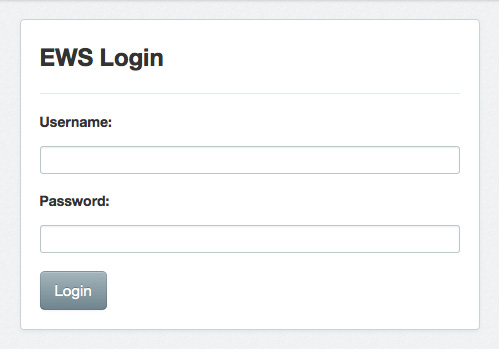
To log into the EWS system go to: http://webapps.liu.edu/ews
Step 2
Log in using your LIU Credentials.
Step 3
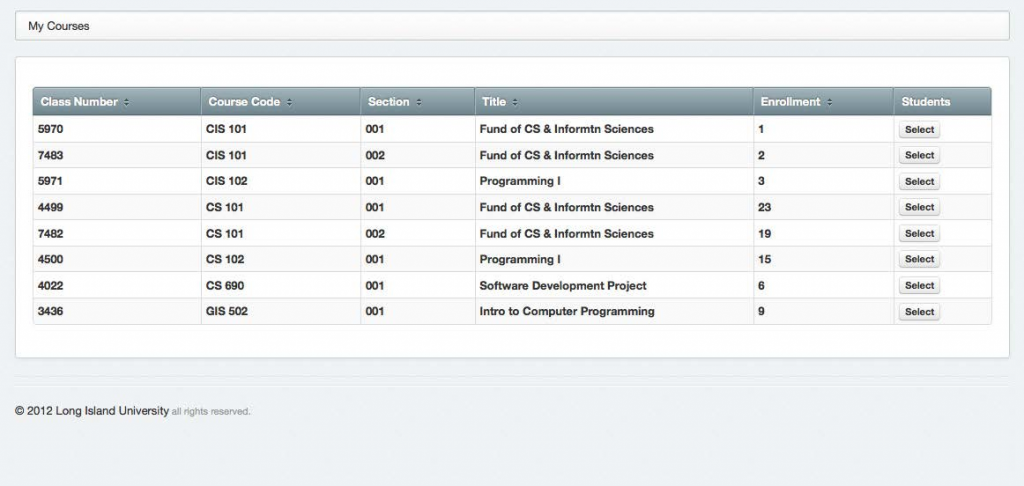
Upon entry Every Faculty member will see a list of their classes and the number of enrolled students. Click on “Select” to enter any class roster.
Step 4
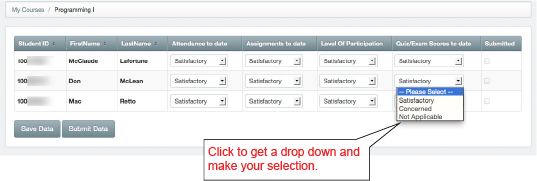
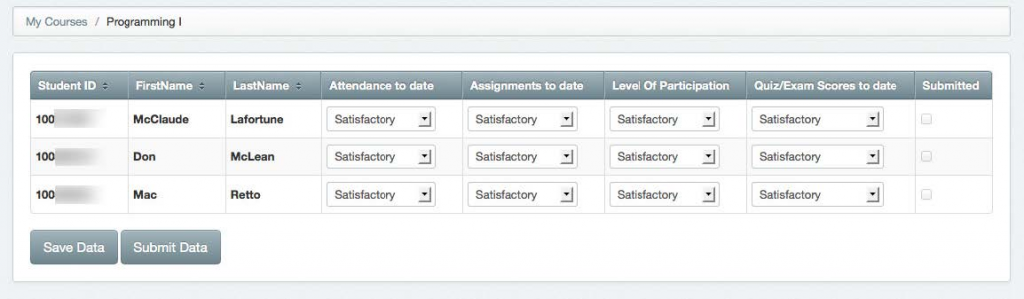
Every student has four areas they can be evaluated on. By default all fields are filled with “Satisfactory.”
Step 5
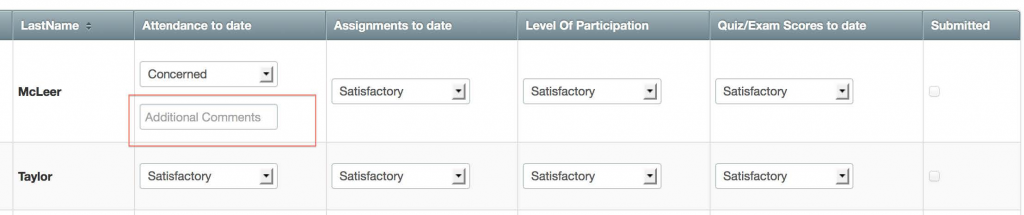
If you have selected “Concerned” as an input, an “additional comments” field will open up for you to add a brief comment.
Step 6
Click “Save Data” if you have only done a partial evaluation of your students. Once you are done evaluating ALL Students, save the data then click “Submit data”.
Note: Once you have submitted you cannot make changes, so be sure about your selections.