

MyLIU
Step 1
On the Faculty Center homepage, click the Faculty Center tile.

Step 2
Click the Grade Roster link on the left menu.

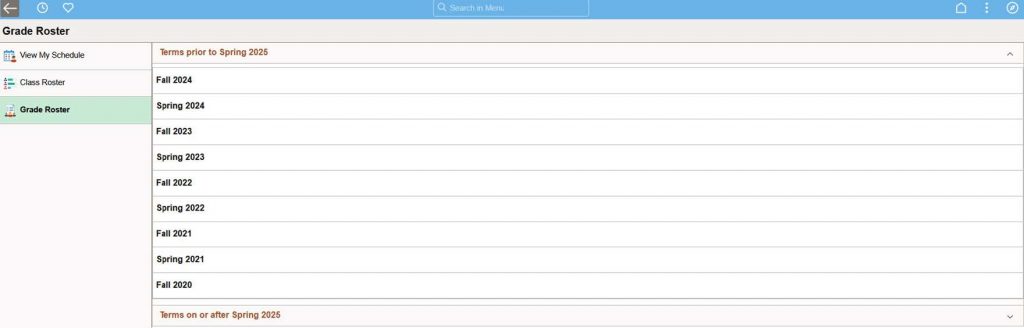
To select a term prior to the current term, click Terms prior to… link
Step 3
Click on the Term.
(Online Grade changes are only available for the past calendar year. Any other grade change request needs to be done on a Grade change Form)
Step 4
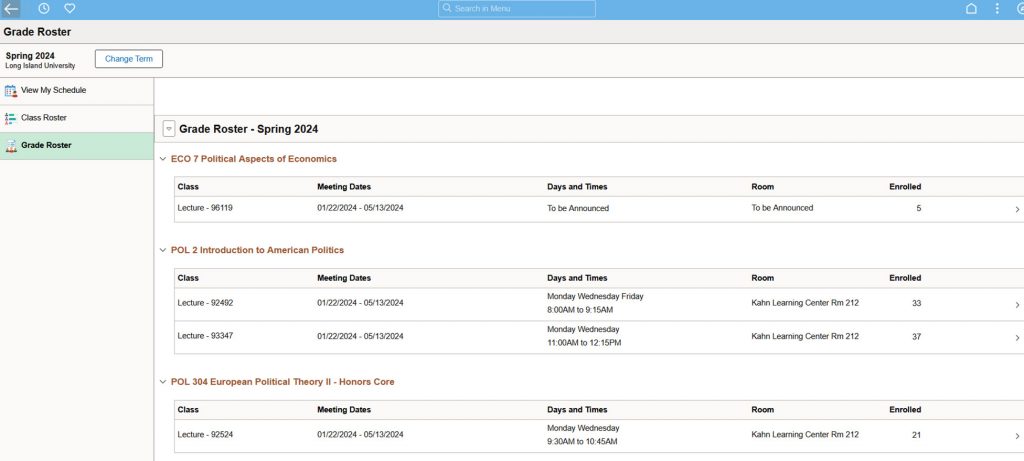
Click on the Class.
Step 5
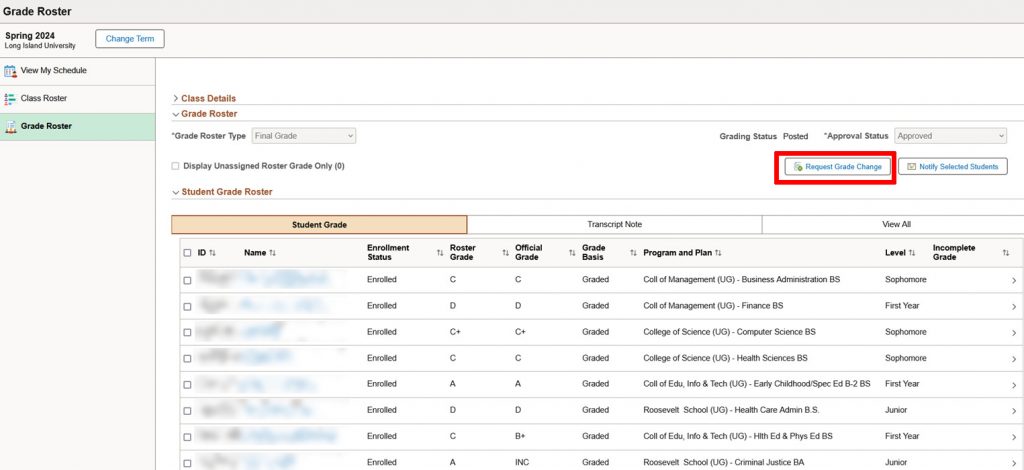
Click the Request Grade Change button.
Step 6
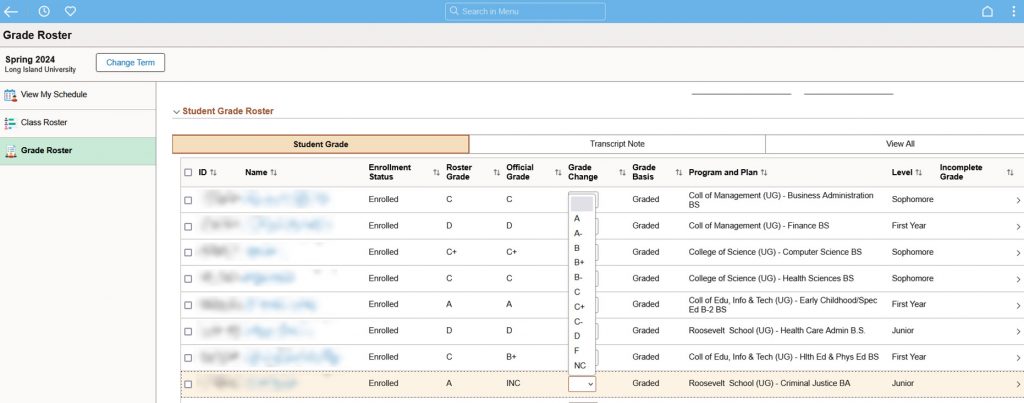
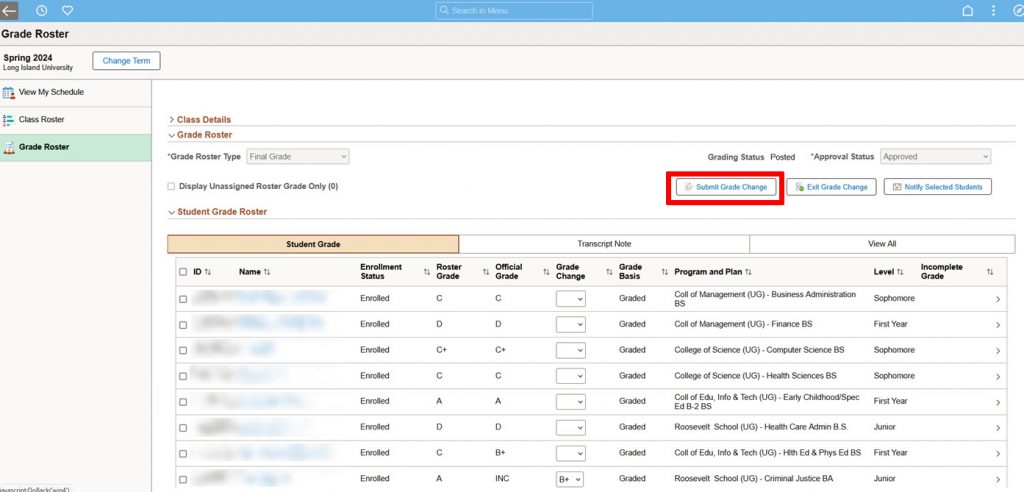
Enter the new grade in the Grade Change column.
(Changes of the Grade to NC, is not available online. This can only be done using the Grade Change Form)
Step 7
Click the Submit Grade Change button.
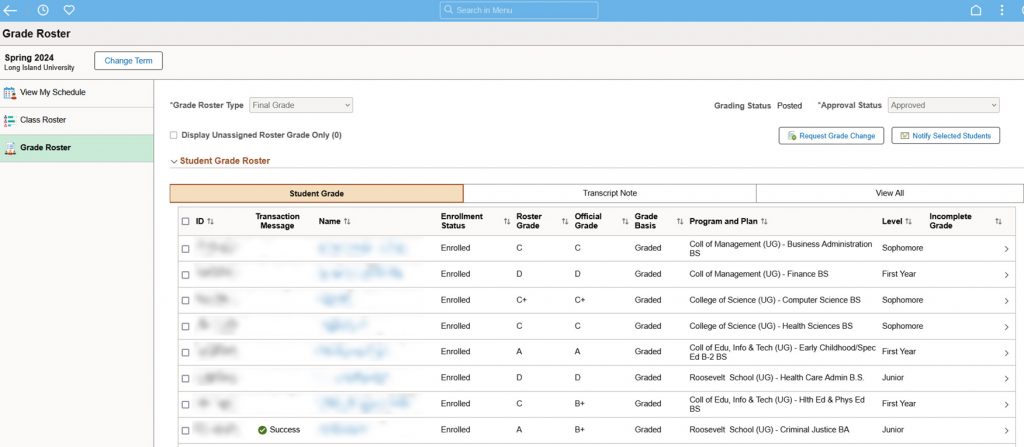
If the grade change has been successfully processed, you will see the new grade in the Official Grade column &
Success in the Transaction Message column.
To get a copy of the grade change form please email: registrar@liu.edu