

Echo360 - Connecting to Brightspace
To connect you Echo class to bright space follow these steps.
Step 1
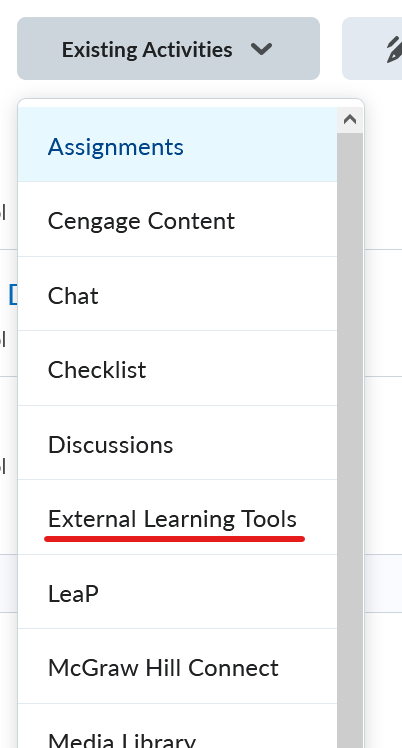
In a module, click on the Existing Activities button

Step 2
From the drop down menu select External Learning Tools
Step 3
Click on Echo360 Course

Step 4
Once the tool is added, Click on the Title name

Step 5
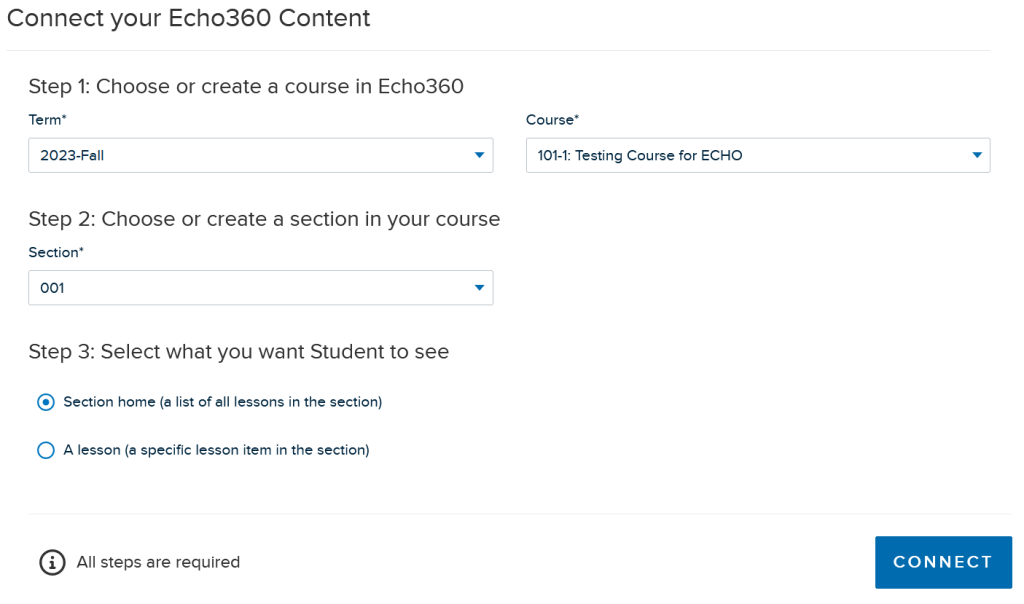
Select the term, the course, the section and leave the section home option selected.
NOTE: The course name will start with the 4 or 5 digit class number
Step 6
Optional step: When posting videos to a class you MUST create a class first. Click the New Class button inside your echo course.
