

Echo360 - Using Personal Capture
It is possible to make videos for use with echo360 with out having permanent in-class hardware installed.
Step 1
Go to echo360.org and log in with your account information. If you are unable to log in, contact stuart.alleyne@liu.edu
Step 2
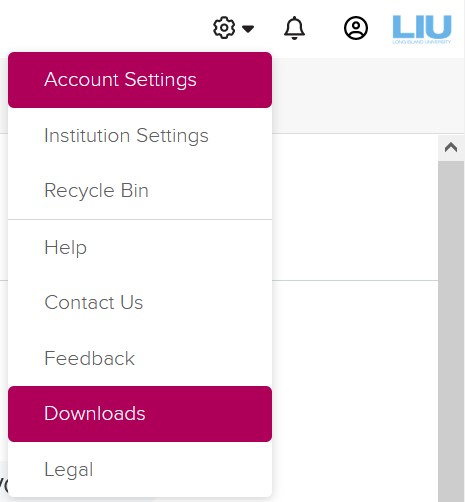
After logging in, click on the gear in the upper right corner and select “Downloads.”
Step 3
Under “Universal Capture: Personal”, download the version appropriate to your machine.
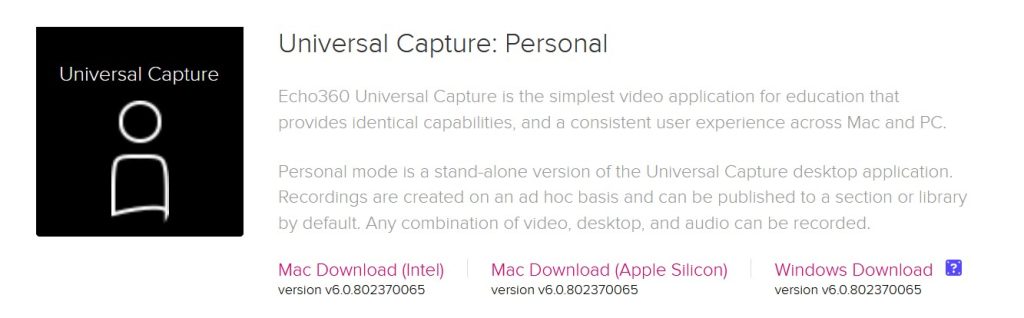
Note for apple users: If you are unsure what processor your machine has (intel or Apple silicon), click on the apple in the top menu of your computer and select “About this Mac”.
Step 4
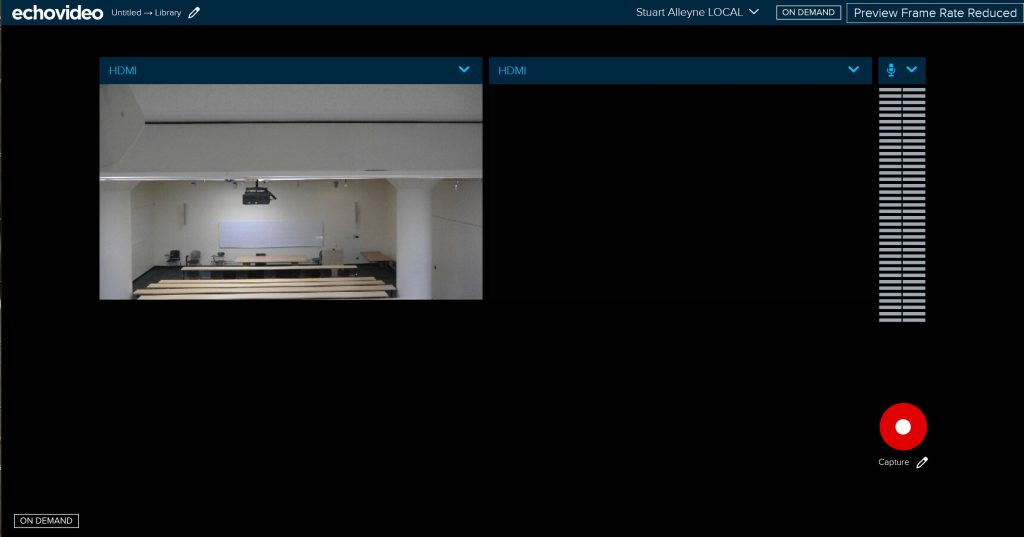
After installation you can open and run Universal capture. Make sure you have an internet connection as it will require you to log in.
Step 5
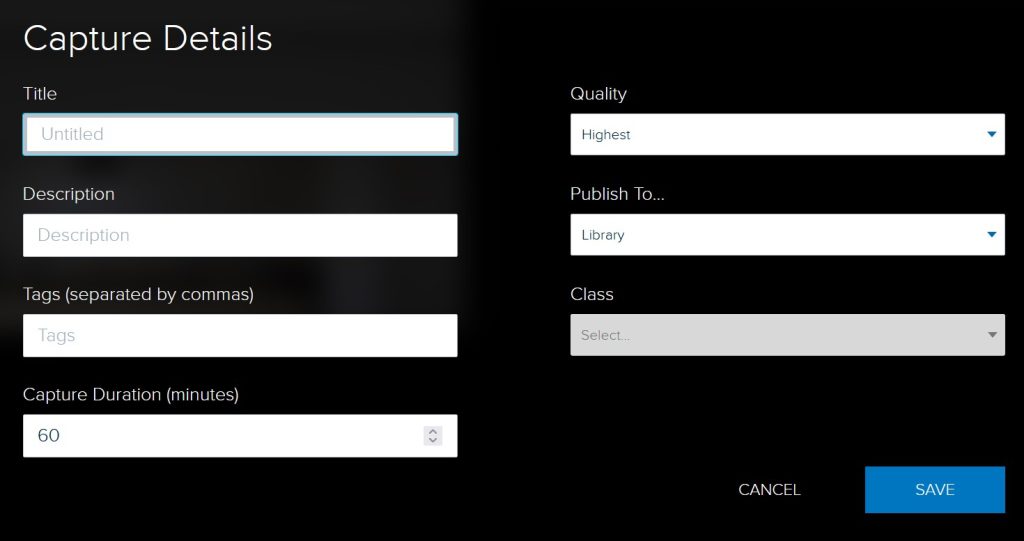
Before recording, it is important to make sure you’ve set the options for the recording. Click on the pencil next to the title to enter the name and set options.

A note about Universal Capture: Personal.
Because this version is running on your local computer, it is important to leave the machine running after you finish your recording. Depending on the length of the recording it may take time for your computer to process and upload the video to the echo360 service.